
Missionary updates
Share Missionary Updates With Family and Friends
Post news once to the missionary’s profile and everyone following sees it — parents, siblings, grandparents, friends or the whole ward. No forwarding, no group chat archaeology.
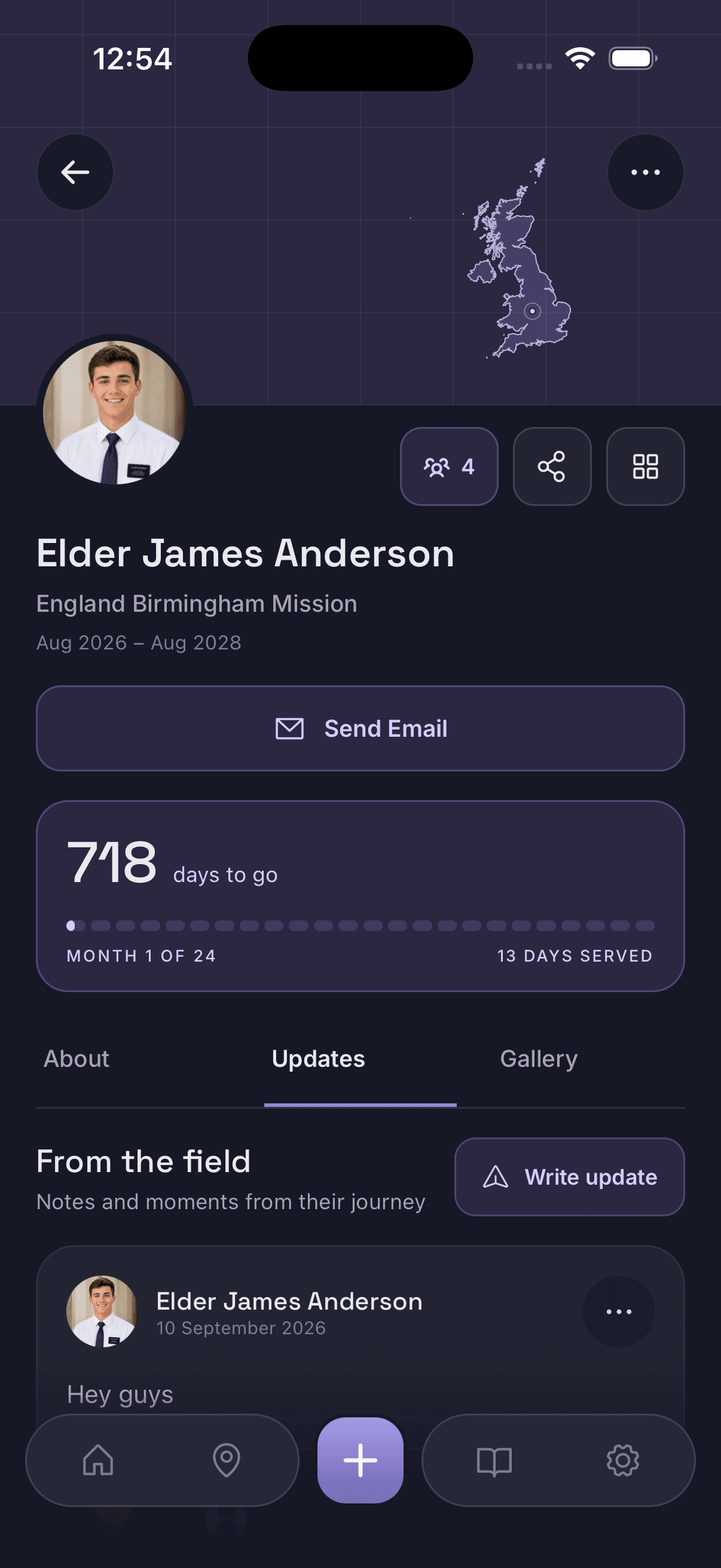
How updates work
Every missionary profile has two tabs: Info, which holds the mission details and the countdown, and Updates, which is where news goes. When something happens worth passing on — a transfer, a new companion, a photo from p-day, a line from the weekly email that the whole family would want to read — it gets posted to the profile rather than retyped into several conversations.
Updates stay on the profile in order, so the mission accumulates into something you can scroll back through later. That matters more than it sounds: two years of news scattered across text threads is effectively gone, while two years of updates on one profile is a record of the mission.
Everyone following sees the same posts at the same time. Nobody has to be the family’s designated forwarder, and the relatives who are not in the main group chat stop being the ones who find out last.
One profile, as many followers as you choose
One missionary profile can be shared with as many people as you choose. It is created once — usually by a parent — and then shared with a join code. Anyone who enters that code follows the missionary from their own phone.
In practice that tends to mean:
- parents, who normally create and manage the profile
- siblings, including ones away at school or already married
- grandparents, who often want the countdown most of all
- aunts, uncles and cousins across the extended family
- friends from home and friends from the mission
- ward members who watched them grow up
The profile shows how many people are currently following, so you can see the circle you have built without having to keep a list.
Join codes
A single code is all someone needs to start following. Send it by text, email or however your family already talks.
Family & ward sharing
The same code works for one person or for a whole ward — it is your decision who gets it.
Not public
Profiles are not browsable or searchable in the app. Without the code, there is nothing to find.
As much or as little
You decide what detail goes on the profile and what gets posted as an update.
Sharing on your terms
Families share missionary news very differently. Some post photos every week; some keep the profile to dates and area and nothing else. Both are fine, and the app is built so that neither requires an explanation.
Two things stay in the profile owner’s hands: who receives the join code, and how much information the profile carries. Treat the code the way you would treat any private link — once someone has it, they can follow along, so share it with the people you actually want reading the updates.
Updates sit next to the rest of the mission
The profile that carries updates also carries the missionary countdown and the map of where they are serving, so a photo from a transfer arrives with the context of which area they moved to and how far through the mission they are. The feature overview covers the rest, and the home page is the short version.
For practical approaches beyond this app — group chats, shared albums, email lists — see how to share missionary updates with family and friends.
Sharing and privacy questions
Who can see the updates I post?
Only the people following that missionary's profile — which means only the people who were given the join code. Updates are not public and the profile is not searchable inside the app.
How do people join a missionary's profile?
The person who created the profile shares its join code. Anyone with the app who enters that code starts following the missionary and sees the same countdown, serving area and updates.
Is there a limit on how many people can follow?
The profile is designed to be shared. The owner decides who receives the join code, whether that is one grandparent, the immediate family, the extended family or an entire ward.
Do I have to share everything?
No. You choose what goes on the profile in the first place, and you choose what to post as an update. A family that would rather keep certain details off the profile simply leaves them out.
Keep your missionary's news in one place
Create the profile, share the join code, and let every update reach the whole family at once.
Free to download on iPhone and Android.